Ride your trainer
in your browser.
No app to install, no account, no subscription. Open the page, connect your smart trainer and Zwift Click, and ride. When you want workouts, an FTP test and a ride log, get the Mac app for $30, once.
Start free. Upgrade once.
The browser version is free forever. The Mac app adds everything you need to actually train.
Browser
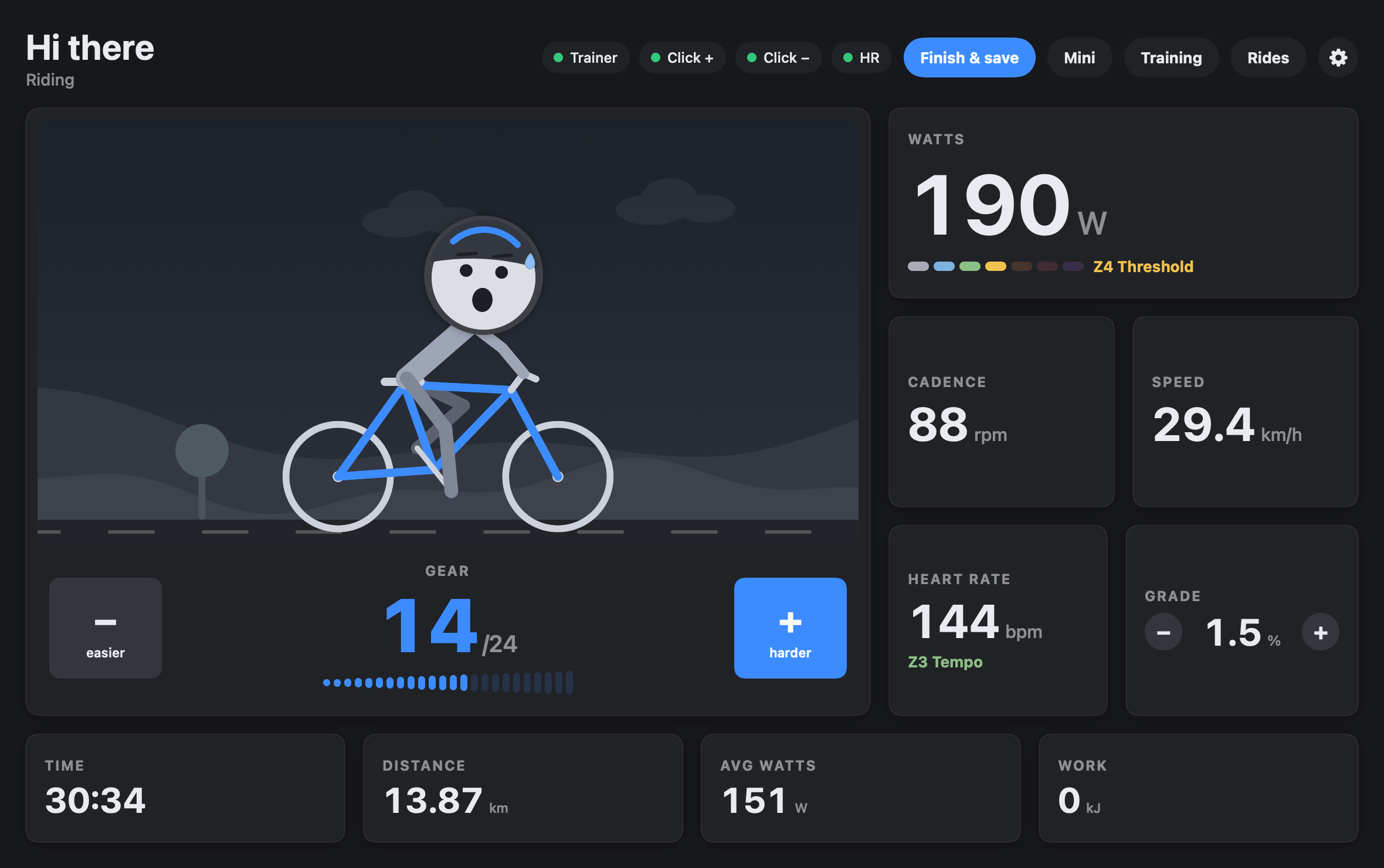
- Connect your smart trainer, Zwift Click and heart rate
- Virtual shifting with the Click (or arrow keys)
- Live watts, power zones, cadence, speed, grade
- Animated rider that pedals at your cadence
- Nothing is saved when you close the tab
Mac app
- Everything in the browser version
- FTP ramp test, power & heart rate zones
- Workout library with ERG: 20, 30, 45, 60 and 120 min
- Ride log with summary images, ride rating, FTP suggestions
- Strava upload, mini window over Netflix, your own faces
The tools you need. Nothing else.
Built for the Wahoo KICKR CORE 2 with Zwift Click, and most Bluetooth FTMS trainers.
Click shifting
Zwift Click, Play and Ride work without the Zwift app. On Zwift-Cog trainers the firmware shifts, just like in Zwift.
FTP test & zones
A proper ramp test: 10 minute warm-up, +20 W per minute, you decide when to stop. Zones are set for you.
Workouts with ERG
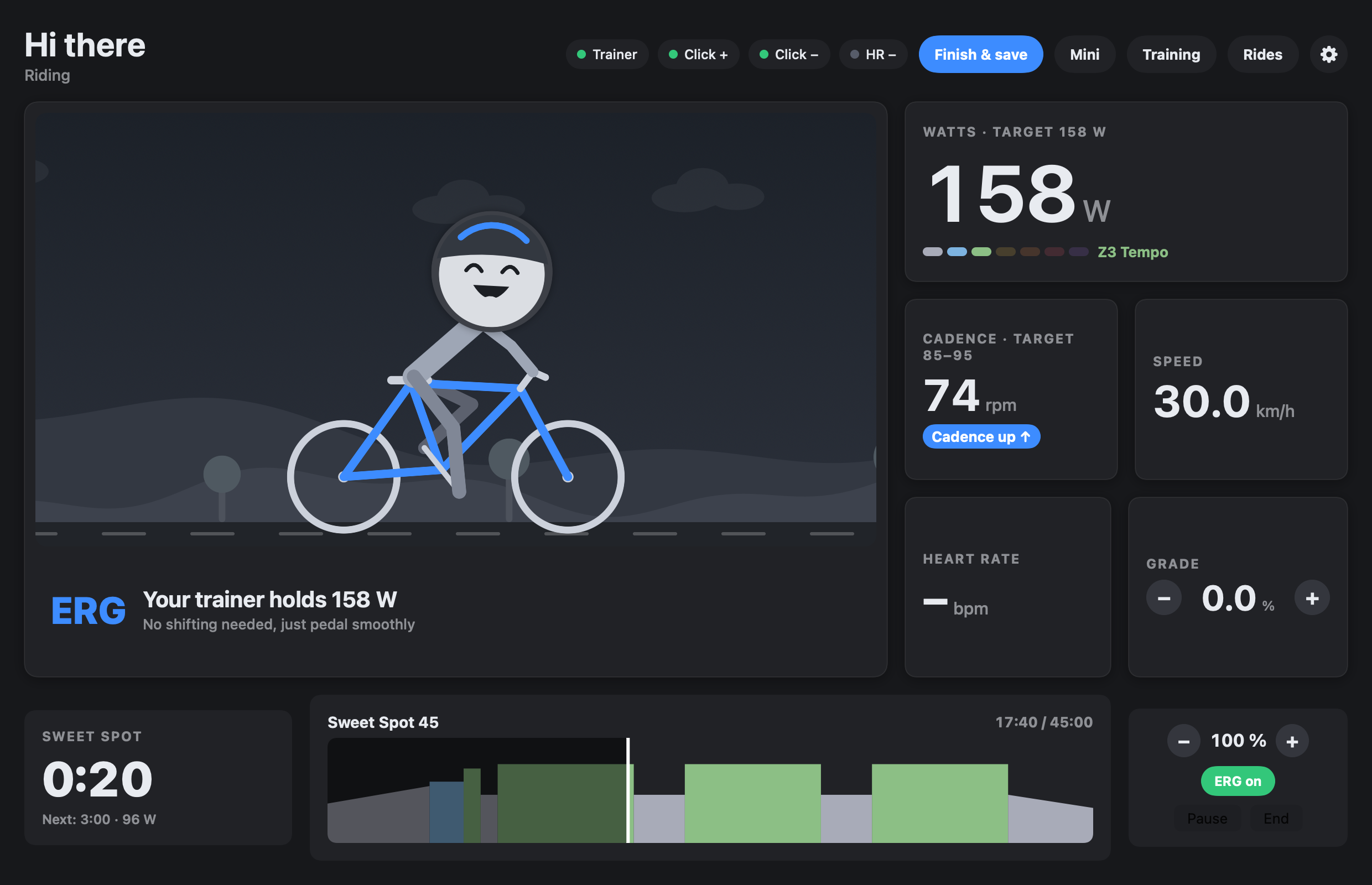
Recovery to sprints, 20 minutes to 2 hours. The trainer holds the watts, you get cadence hints and 3-2-1 beeps.
Effort at a glance
A rider that pedals at your cadence, with four expressions for four effort levels. Use your own photos if you like.
Mini window
Your numbers in a small window on top of Netflix or YouTube, even in full screen.
Ride log & Strava
Rate each ride, get a summary image, an FTP suggestion when you got stronger, and optional Strava upload.
Train, don't fiddle
In ERG mode your trainer holds the target watts. You just pedal. PedalCraft tells you when to raise your cadence and beeps before every change.
Installing the Mac app
After buying you get a download link by email and in your Gumroad library.
- Unzip PedalCraft.zip and double-click Install.command.
- The first time, macOS asks once: click Done, then System Settings → Privacy & Security → Open Anyway.
- Allow Bluetooth. Done. Updates are announced inside the app.
FAQ
Do I need a Zwift account?
No. PedalCraft talks to your trainer and shifters directly over Bluetooth. Please quit Zwift on all devices before riding.
Does it work on Windows or iPhone?
The free browser version works in Chrome and Edge on Windows, Mac and Android. iPhone and Safari don't support Web Bluetooth. The full app is Mac only for now.
My Click v2 «−» stops working after a minute
Zwift locks the left puck unless you rode in Zwift recently. PedalCraft restarts it every 50 seconds, so «easier» may pause for a second now and then. The right puck is never locked.
Which trainers work?
It is built for the KICKR CORE 2. Trainers with Zwift virtual shifting get firmware shifting, other Bluetooth FTMS trainers get grade-based gears and ERG workouts.
What about my data?
No account, no tracking. The browser version keeps nothing. The Mac app stores rides only on your Mac. We count anonymous page visits and connections, nothing else.